
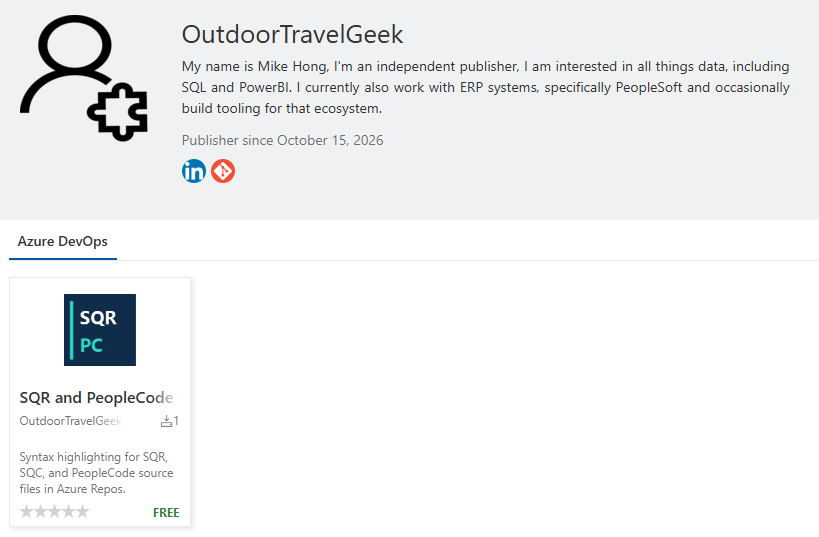
So I published my first extension to the Microsoft Visual Studio Marketplace this morning. It’s an Azure DevOps extension that adds syntax highlighting for SQR and PeopleCode files, which is probably only interesting to a fairly small group of people who work with PeopleSoft. But I’m pretty happy with it, partly because it makes reviewing code a little easier, and partly because I went from an idea to a publicly available extension in a single morning.
For those who don’t spend their days looking at source code, syntax highlighting is what gives different parts of a program different colors. Comments, keywords, strings and variables are easier to pick out when you’re reading through a file. It’s something you get used to having in a code editor, and you notice pretty quickly when it’s missing. I wanted that for SQR and PeopleCode in Azure DevOps, so I figured I’d see whether Codex could help me put something together.
To be honest, without AI I probably would never have bothered. I’d have needed to learn how Azure DevOps extensions work, figure out how to define the highlighting rules, learn how to package the extension, and then work through the whole publisher registration process. None of that is beyond me, but it’s a fair amount of time to spend just to get some colors in a code review. It’s the sort of thing I’d think would be nice to have and then never actually get around to doing.
I gave Codex a link to Microsoft’s extension documentation, an existing Marketplace extension that did something similar for another language, and a couple of GitHub repositories with SQR and PeopleCode support for VS Code. From there it worked through the extension format and created the code, build scripts, documentation and tests. Apparently the VS Code highlighting definitions couldn’t just be dropped into an Azure DevOps extension, so there was some work involved in creating the right definitions. Thankfully I didn’t have to spend the morning figuring that part out myself.
There was a little back and forth as I worked through the release process. I registered as a publisher under outdoortravelgeek, updated the publisher setting, and had Codex rebuild the package. One useful thing it caught was that I’d edited a generated manifest, so my change would have been overwritten the next time I built it. Once that was sorted out I installed the extension in Azure DevOps and tried it. It worked well, so I asked Codex to set it to public and create a new version, which I then published to the Marketplace. The project also has 17 passing automated tests, though seeing it actually work in Azure DevOps was the part I was most interested in.
I guess this is what people mean by vibe coding. I described what I wanted, gave it some references, and worked through the results with it. I still went through the registration and publishing steps and tested what it produced, but having help with the unfamiliar parts made the whole thing easy enough to finish while I was still interested in doing it. By the end of the morning I had a publisher account and an extension that other people could install.
Anyways, if you work with SQR or PeopleCode in Azure DevOps, hopefully you’ll find it useful. It’s a pretty small contribution to the world of software, but it’s my first published Marketplace extension, and I’m glad I finally made one. There are probably a lot more little projects like this that I’d actually get around to doing now.
Leave a Reply